

A useful social video begins with an idea, not a camera. If you already have a topic worth sharing, photographs can provide the visual material you need to explain it in a short, engaging format. The result might be a product-category explainer, a travel tip, a quick educational clip or a promotional message for your business.
You can make a social media video from stock photos by planning a short sequence, choosing properly licensed images, applying movement to each scene, adding accessible text or narration, and exporting the finished edit for your chosen platform. The process works even when you have no original footage.
Below is a production workflow designed for people who want repeatable results rather than complicated visual effects.
Begin with One Message the Viewer Can Remember
Short videos have limited time to earn attention. Trying to explain five unrelated ideas in one clip often makes the finished piece difficult to follow. Instead, write one sentence that describes what the viewer will take away.
For instance, a travel publisher might use the message: “Pack smarter for a weekend trip.” That statement can become a compact three-point video about choosing a smaller bag, grouping essential items and keeping important documents accessible.
Turn your message into a simple storyboard with three parts: an opening that identifies the problem, a middle that illustrates the solution and an ending that gives the audience a useful next step. You do not need professional scriptwriting software. A document with scene numbers, on-screen text and image descriptions is enough.
Build an Image Sequence, Not Just a Collection
Searching for attractive photos is easy. Finding photos that work together is more important. Think about how one scene leads to the next.
For the weekend-packing video, you might need an open suitcase, a neatly arranged set of clothes, a small toiletries bag and a travel document beside a backpack. These subjects form a visual progression rather than four disconnected images.
Pay attention to composition. Vertical portraits are convenient for mobile video, but a landscape photograph can also work if it contains enough room around the subject to crop or pan. Look for consistent light and color so the sequence does not change mood abruptly.
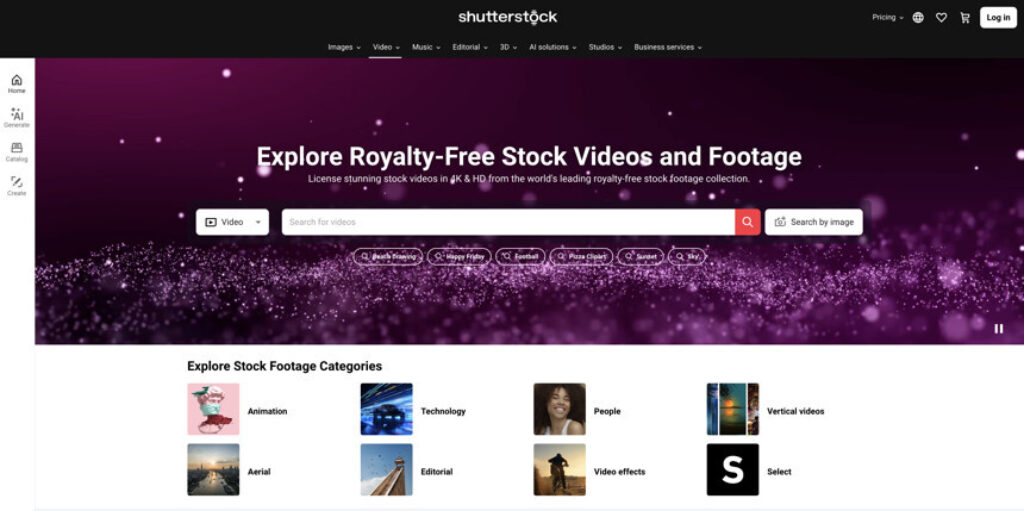
A library such as Shutterstock can be useful here because it offers licensed images across many subjects and visual styles. Save your candidates together and review them as a sequence before committing to a download. Make sure each selected asset is licensed for the intended use.
Make a First Edit Before Adding Effects
Create a project in your video editor and arrange the photos in storyboard order. For a full-screen mobile video, a 9:16 canvas at 1080 × 1920 pixels is a common production choice. It works well as a vertical starting point for Instagram Reels, TikTok and YouTube Shorts, although each platform has its own display and upload details.
Set rough durations and preview the entire edit without music. If the meaning is unclear at this stage, transitions will not fix it. Revise the order or replace images until the story makes sense.
A useful editing principle is to let the most informative photograph remain on screen long enough for viewers to understand the detail it shows. A photograph with three on-screen instructions usually needs more viewing time than a simple introductory shot.
Give Still Images a Sense of Direction
The most effective animation is often the least noticeable. Motion should help viewers discover information within the frame.
- Push in: A gentle zoom draws attention toward a subject or key detail.
- Reveal: A slow horizontal movement can guide the eye across a wide image.
- Reframe: Change the crop between scenes to create visual variety without distracting effects.
- Separate layers: If your editing software supports masking, a restrained parallax treatment can add depth to an appropriate photograph.
These movements are commonly created with keyframes: one position or scale at the beginning of the clip and another at the end. Preview them on a phone-sized screen. If the subject leaves the frame or the movement competes with the text, reduce it.
Avoid automatically animating every scene in the same direction. Alternating still moments with moving shots can make the video feel more deliberate.
Write for People Watching Without Sound
On-screen text should do more than repeat the headline. It should advance the message: one tip, fact or action at a time. Use short sentences, sufficient contrast and a consistent type style.
If you record a voiceover, add accurate captions rather than relying entirely on the automatic transcript. Read the words aloud before recording; language that works in a blog paragraph may sound unnatural in a fifteen-second video.
Music is optional. If you use it, check the rights for your intended platforms and commercial context. A track available in one app's music library is not automatically cleared for a separate advertisement or a repost elsewhere.

Example: A Weekend Travel Tip in 24 Seconds
Here is a simple edit that uses five photographs and no camera footage:
- 0–4 seconds – Hook: An overflowing suitcase. Text: “Packing too much for two days?”
- 4–9 seconds – Tip one: A small carry-on bag, with a slow push in. Text: “Start with the bag size.”
- 9–14 seconds – Tip two: Clothes arranged in outfits. Text: “Pack combinations, not extras.”
- 14–19 seconds – Tip three: A compact pouch with essentials. Text: “Keep everyday items together.”
- 19–24 seconds – Close: A tidy bag by the door. Text: “Save this checklist for your next trip.”
These timings are an illustration, not a platform rule. The clip can be shortened or extended to match the amount of information and the pace of narration.
Check Rights and Context Before Publishing

Using a licensed photograph does not mean that every possible use is permitted. Shutterstock's Standard Image License generally covers social platforms and online video, but it includes conditions, such as a production-budget restriction for certain audiovisual productions. An Enhanced License may be needed for some projects. Assets marked “Editorial Use Only” are not cleared for ordinary promotional campaigns.
Shutterstock also publishes credit guidance for video productions, so review its current attribution requirements. Independently verify the music, fonts and any other third-party assets used in the edit.
Context matters too: do not describe a stock image as a real photograph of your employees, premises or customers if it is only an illustration. In a marketing video, a believable visual story must still be truthful.
Publish, Learn and Reuse the Process
Before uploading, watch the finished video on a mobile screen. Check the crop, spelling, audio levels and whether platform interface elements might cover important text. Exporting an MP4 using H.264 is a broadly compatible option, but follow the platform's current specifications.
After publication, assess watch time, retention, shares and relevant actions rather than judging performance by views alone. Record which opening, visual style and message worked best. The next video can use the same production process with a different story and new imagery.
Frequently Asked Questions
Can stock photos replace video footage entirely?
Yes. An editor can turn a sequence of still images into a video file using movement, cuts, text and sound. The result should still provide a clear narrative rather than relying on animation alone.
Is 1080 × 1920 required for every Shorts upload?
No. It is a convenient vertical production size, not a universal requirement. YouTube also accepts qualifying square Shorts, and platform specifications can change.
Do I need to credit the photographer when using licensed stock images in a video?
Requirements depend on the asset and license. Shutterstock's published guidance includes attribution for video productions. Review the applicable terms before distributing the finished clip.
How many pictures should a short social video contain?
There is no fixed number. Choose enough images to support the message, and allow sufficient screen time for each photograph and caption to be understood.
Final Takeaway
A good stock-photo video is planned like a story and edited like a video, not assembled like an ordinary slideshow. Start with one useful idea, build a logical image sequence, introduce purposeful motion and check rights before publication. That repeatable workflow makes short-form content achievable without filming every scene yourself.






 Stock Photo Guides
 Photo Buyer Guide
 Vector Guru